

vocal
100
Preview separated vocals, instrumentals, and stems instantly with our vocal remover
before downloading.



Remove vocals, split stems, edit audio, and create remixes

Separate vocals and instruments with fast, studio-quality AI.

Preview every stem and download high-quality audio in seconds.
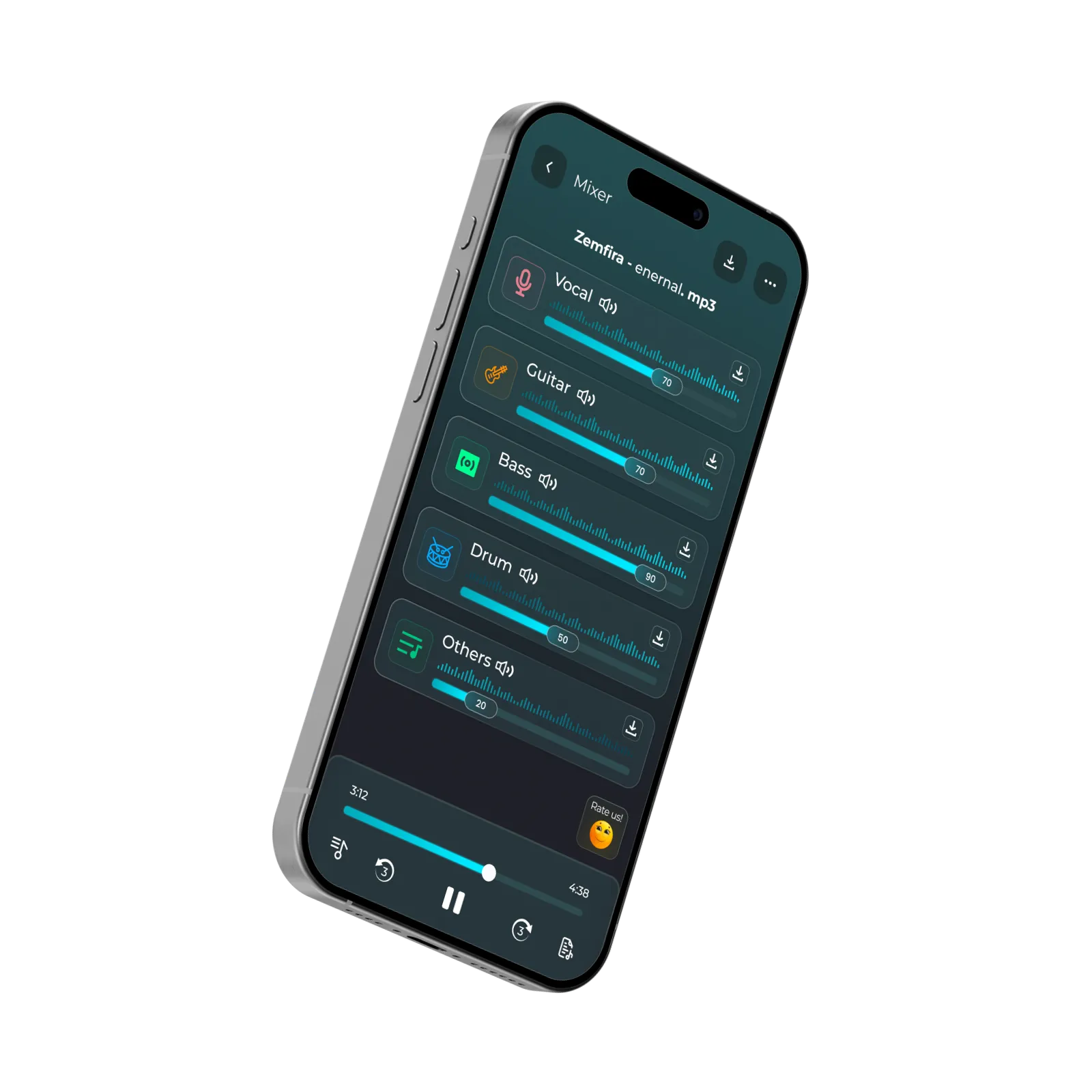

Edit, convert, trim, clean, and enhance your audio files

Use unMix on web, Android, iOS, Windows, Extension, and macOS
unMix is a Vocal Remover and Stem Splitter that helps musicians, creators, and karaoke lovers separate vocals and instruments into high-quality stems in seconds.
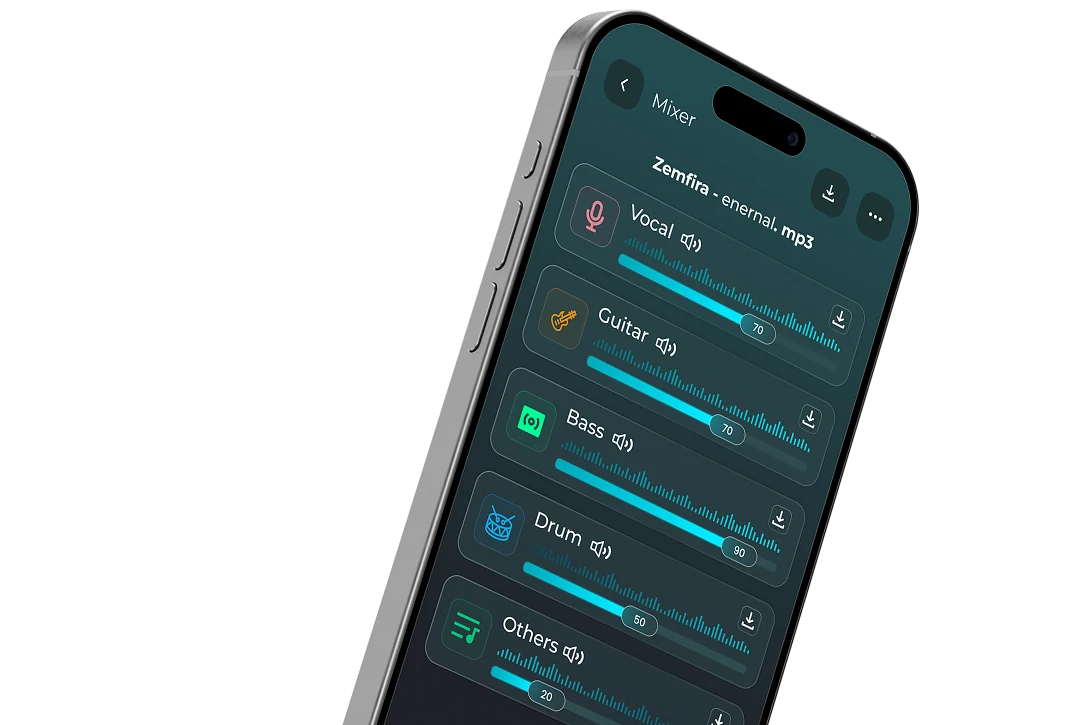

Clean vocals and natural instrumentals with AI separation

Clean stems, clear audio for practice, remixing, and editing.
Extract vocals and instrumentals from any song with unMix, the advanced AI music separator and vocal remover.

Remove vocals, remix music, practice, and more.

Quick edits to bigger projects, unMix grows with you.
Upload any song file, audio or video. From rough recordings to mastered tracks—unMix is ready.
Isolate vocals, drums, bass, and keys instantly with our high-fidelity, industry-leading neural network model.
Experience flawless acoustics. Explore hidden details, subtle harmonies, and elements in exquisite depth.
Musicians, producers, DJs, and creators use unMix for easier audio workflows
“If you wanna separate you're music use this app it's perfect and actually works”
“If you wanna separate you ‘ re music use this app it‘ s perfect and actually works”
“Absolutely perfect. Separating vocals is fully lossless and incredibly easy to export.”
“An absolute game changer for sampling and live setups. Simple, clean, and highly effective.”
“Stunning processing. It splits harmonies accurately and preserves critical low-end frequencies.”

A vocal remover is a tool that separates vocals from instrumentals in a song. People use it to create karaoke tracks, extract acapellas, prepare stems for remixing, practice instruments, or edit audio for videos and podcasts. unMix uses AI stem separation to analyze the audio and identify different sound elements, including vocals, drums, bass, guitar, piano, and other instruments. It then separates these elements into individual stems, allowing you to download only the tracks you need.
Yes. unMix is available across multiple platforms, including Web, Android, iOS, Windows, macOS, and Chrome Extension. You can upload files, separate vocals and instrumentals, and download your tracks from the device that best fits your workflow, whether you're creating music at home or on the go.
Yes. You can use unMix for free to separate vocals and instrumentals from your audio. If you need additional processing time, more stems, or advanced features, you can upgrade to a premium plan whenever it suits your needs. The free version is a great way to explore what unMix can do before deciding to upgrade.
Yes. unMix supports both audio and video files, so you can extract vocals or instrumentals without converting the video first. Simply upload your video, choose the separation mode, and download the isolated tracks for editing, karaoke, remixing, or content creation.
unMix supports popular audio and video formats, including MP3, WAV, FLAC, M4A, OGG, MP4, and more. Simply upload your file, and unMix will handle the separation process without requiring any additional conversion.